
Microsoft Windows 10 Language Installer
R O L E Product Designer
T E A M Lead Designer | Product Manager
O V E R V I E W
Our team was brought in to help redesign the Region & Language settings in Windows 10, with a broader goal of improving usability across Settings overall. My focus was specifically on the flow for installing language packs.
At kickoff, the product manager explained that the existing flow used an inline, non-dialog-based model, and that the goal going forward was to move to a modal dialog experience instead. Before I joined the project, the previous designer had already done some early discovery and connected the PM with the Windows Design Peer Review team to validate the direction.
S O L U T I O N / P R O C E S S
I started by getting familiar with the current experience — mapping out every step a user takes to add a language, install an optional language pack, and configure any additional per-language options available.
From there, I built on the earlier design work, drawing on:
- Prior usability study data
- Feedback the PM had received from the design review
- Existing Windows 10 controls and patterns, including the current modal dialog pattern documented in the Windows design guidelines
Using this foundation, I iterated on the design and delivered two options, each complete with redlines and specifications, for review.
O U T C O M E & I T E R A T I O N
The work moved into development and shipped in a Windows Insider Preview build in December 2017. Once real users and developers had a chance to use it, we gathered another round of usability feedback.. The following are the actual screens from that build:
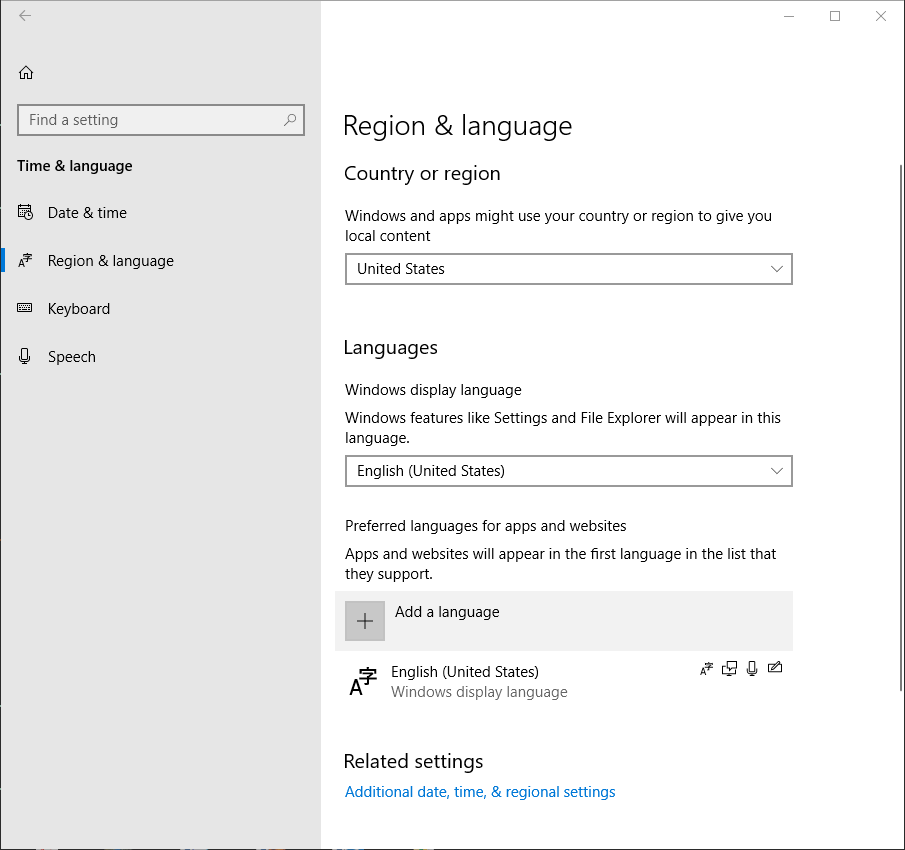 1 - The "Region & Language" settings page where a user can "
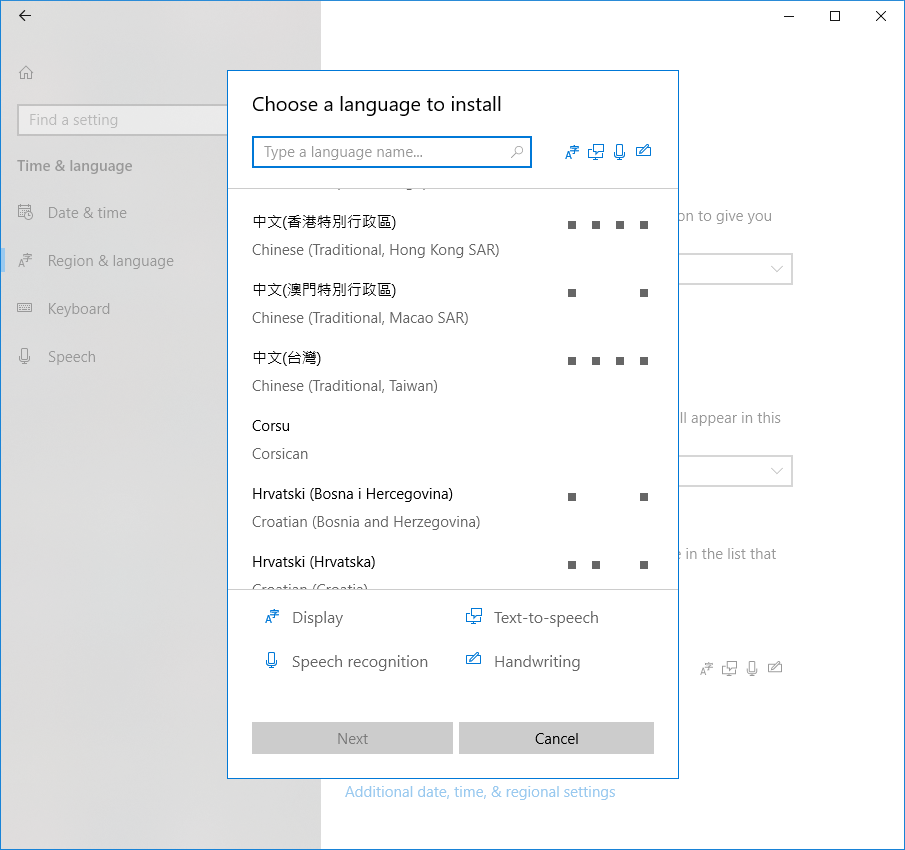 2 - The modal dialog with the list of languages a user can choose to install.
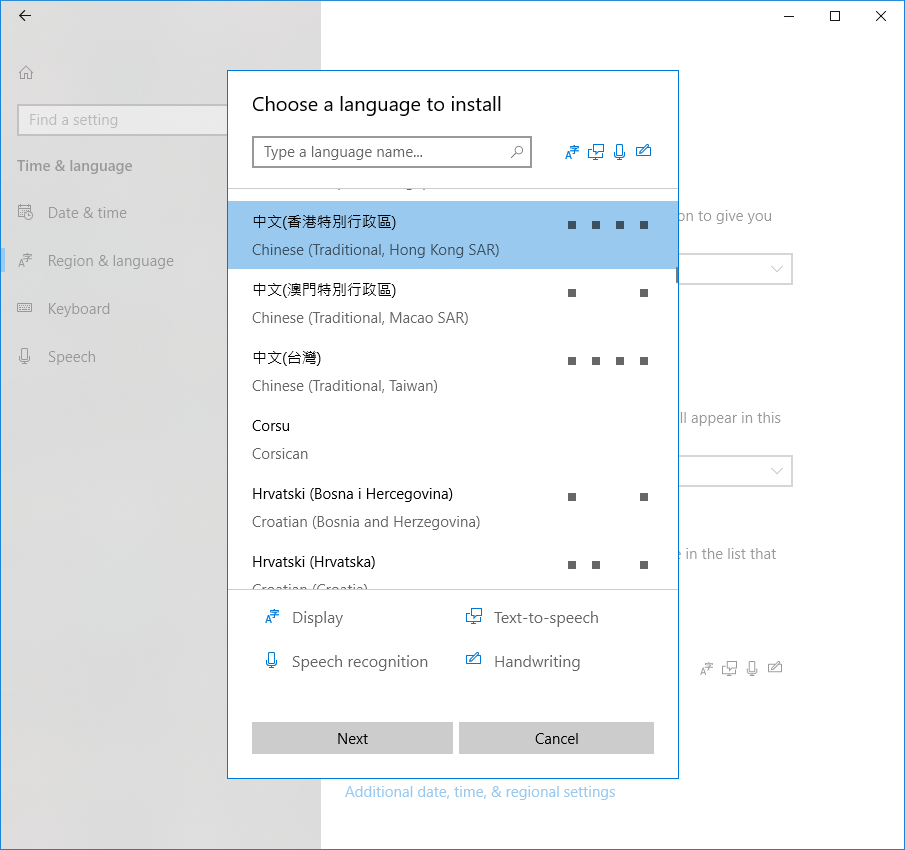 3 - Next they choose the language to be installed and hit the Next button
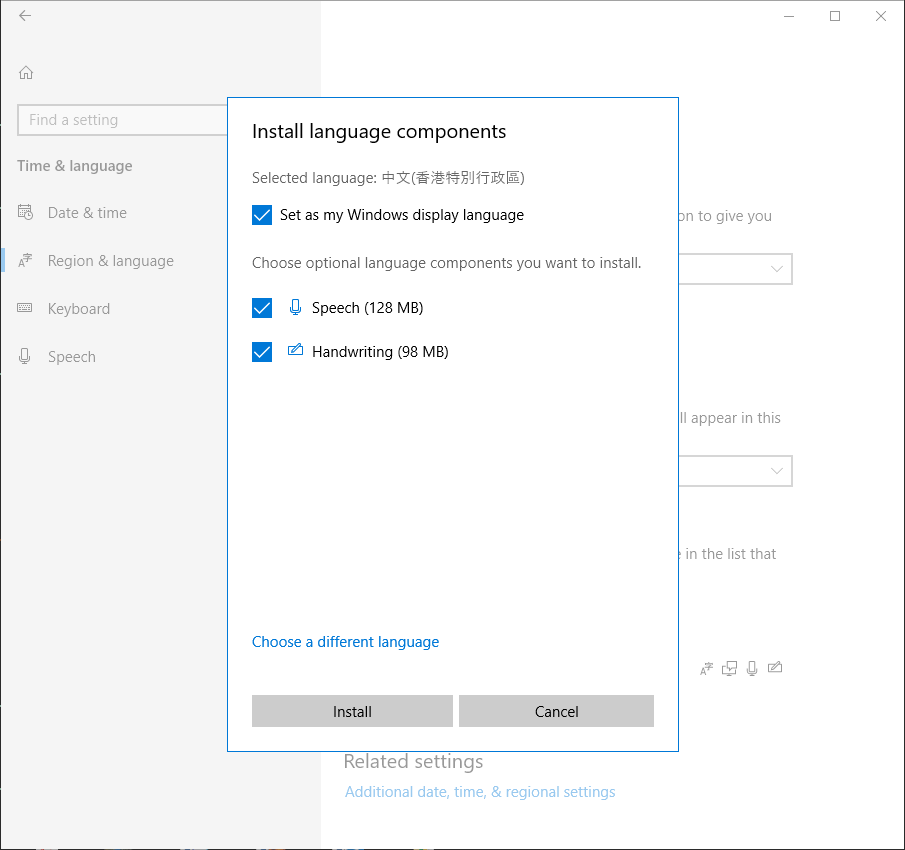 4 - The optional language feature screen where they choose additional features to be installed based on the language they have chosen. Once they select the features, they click the install button.
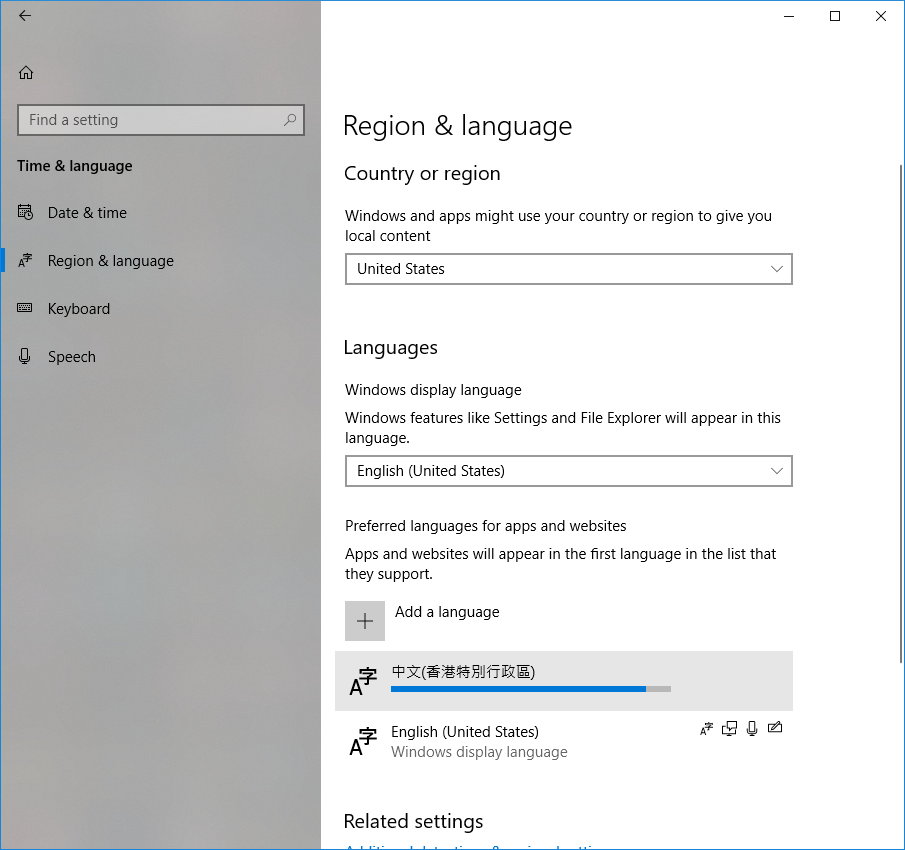 5 - The main Region & language settings page shows the new language being installed.
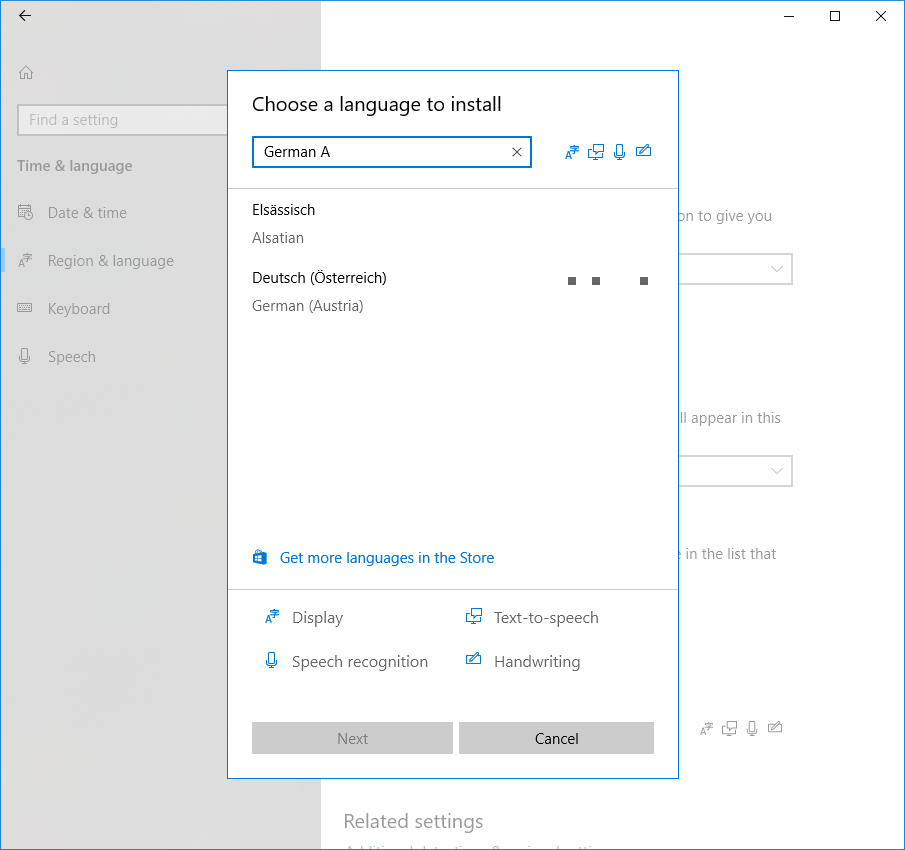 When they hit the "Add a language" button in step 2, they can also use the search field to filter to the exactly language they want.
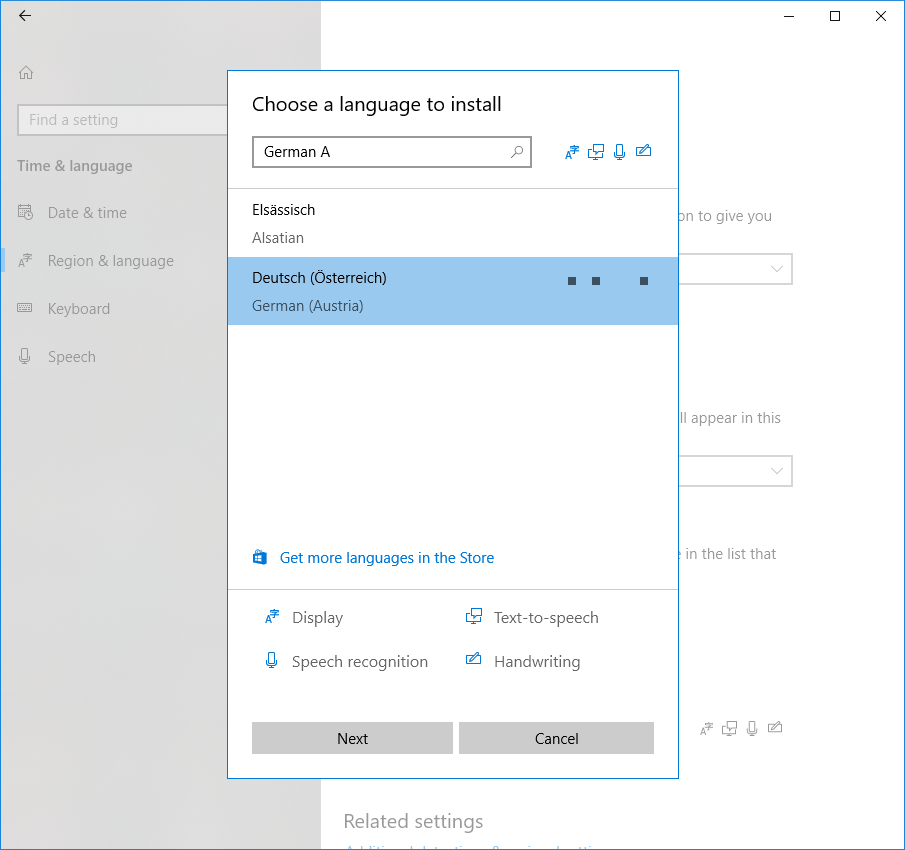 And then select the language they've search for.
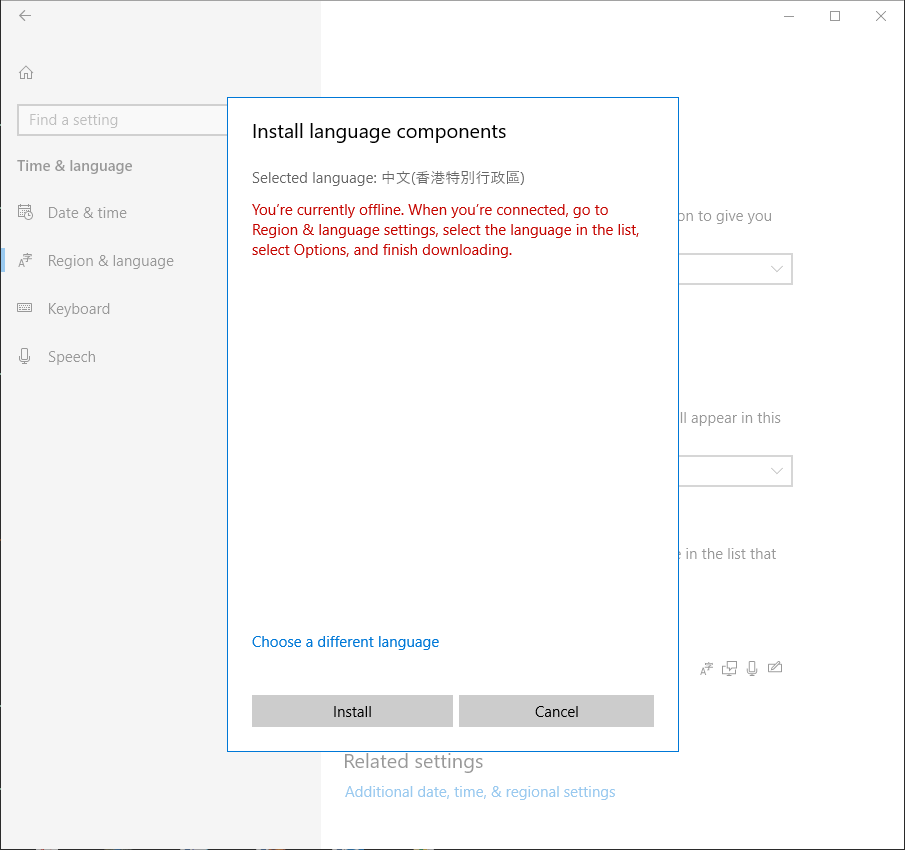 In case the user is offline, after they click a language in Step 2, red error text would display in the next screen.
That feedback surfaced a few more opportunities for refinement, so I revised the design again and produced a second round of iterations. These were handed back to the team for review and development. The video below shows the flow as it appeared in one of the most recent builds — the same experience that’s still in Windows this day.